Rating: 3.7 / 5 · Options flow & alerts. Hands-on review by TradingToolsHub — Options Plus tier, tested on a paid account on September 2 and September 8, 2026.
| Starting Price | $59/month (Options Basic); $79/month Options Plus, $0 first month |
|---|---|
| Free Tier | No. 30-day $0 first month on Options Plus, card on file, auto-renews. |
| Founded | 2016 |
| Company | Blackbox.io Inc., Dallas, TX — subsidiary of REalloys Inc. (Nasdaq: ALOY) since February 2026 |
Blackbox Stocks' clearest advantage is not the number of tools on the screen. It is the combination of a filter builder that can isolate exactly the options prints you care about, a historical replay that goes back to 2018 at no extra charge, and a live class calendar that most flow services don't have at all. The tradeoff is that the platform explains almost none of this to you. The colour code that tells you whether a print is opening a position, the A/AA codes, the heat-map columns and the alert thresholds are either undocumented or buried in a help center last updated in 2020, so the first week is spent learning a vocabulary that a better product would teach on screen.
This review uses the members' platform (members.blackboxstocks.com) on a paid Options Plus account, the in-app Option Log Key, the Blackbox help center and the docs site as the source of truth, and was checked on September 2 and September 8, 2026. Prices and the first-month promotion can change at checkout and should be checked again before purchase.
Start with the tier choice, not the feature list
Blackbox split its single $99 plan into four tiers in September 2025, and the split is not cosmetic. On either Options tier, clicking Equities or Custom Layouts produces an "Upgrade Required" modal. That means no stock-side dark pool prints, no Level 2, no volatility indicator, no equities alert stream, and no way to move or resize the three-column layout. Options Basic ($59) gives you the flow, alerts, heat map, OI changes, charting and mobile app. Options Plus ($79) adds real-time and historical dark pool data, live options trading rooms, the Net Options Delta and Gamma Exposure studies, GoNoGo, historical flow and Discord. Equities Plus ($89) is the stock side only. Premium ($149 after a $99 first month) is both.
If you trade options only, Options Plus is the right plan and the $20 over Basic buys the historical flow and the delta/gamma studies, which are worth it. If you trade stocks as well, the honest price of Blackbox is $149 a month, and that changes the comparison against Unusual Whales ($50–$75) and Cheddar Flow ($85–$99).
A genuinely free first month is rare in this category
Options Plus comes with a $0 first month, and that is a real advantage. Most rivals in options flow either don't offer a trial at all or gate a limited version behind a paid downgrade; Blackbox gives you the full Options Plus tier for 30 days at no cost. That is enough time to learn the filter builder, save presets, watch the historical replay, sit in on two or three live classes and decide honestly whether the workflow suits you before any money changes hands.
Two things to know so the trial does what you want it to. A card is required at signup and the plan auto-renews at $79 on day 31 — our account showed the next billing date and amount ($79.00) in the Subscription modal from day one, so there is no ambiguity. Cancellation is self-service under Account > Settings and access continues to the end of the paid period. Refunds after that are policy-limited to hardship cases per the help center's August 2023 article, so treat the platform as pay-monthly-or-cancel-cleanly rather than pay-and-refund.
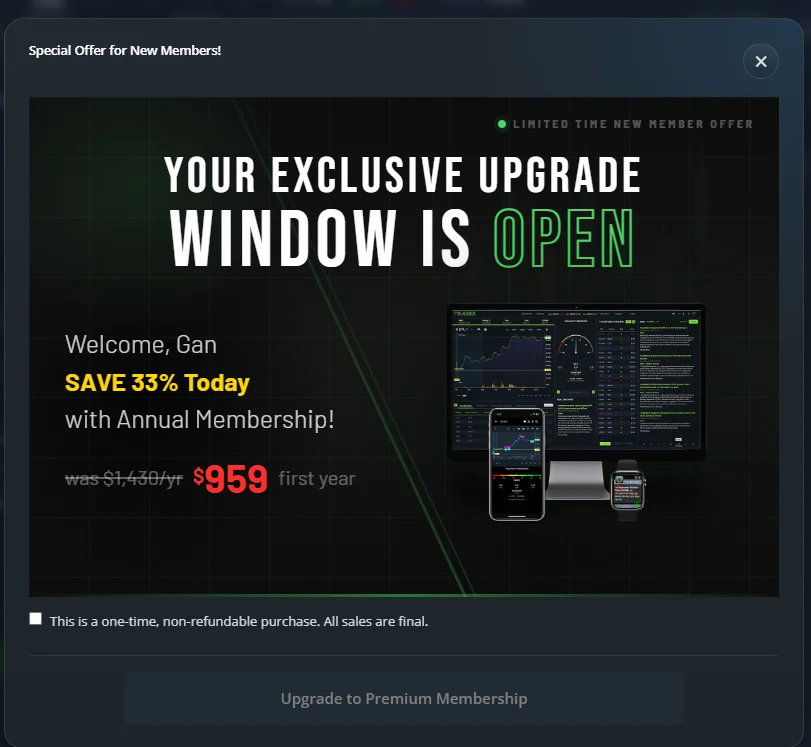
The in-app "Special Offer" banner pushes Premium annual at $959 for the first year against a listed $1,430, behind a mandatory checkbox reading "This is a one-time, non-refundable purchase. All sales are final." That one is worth ignoring until you have traded through the full free month.
Why the colour code matters more than the alert names
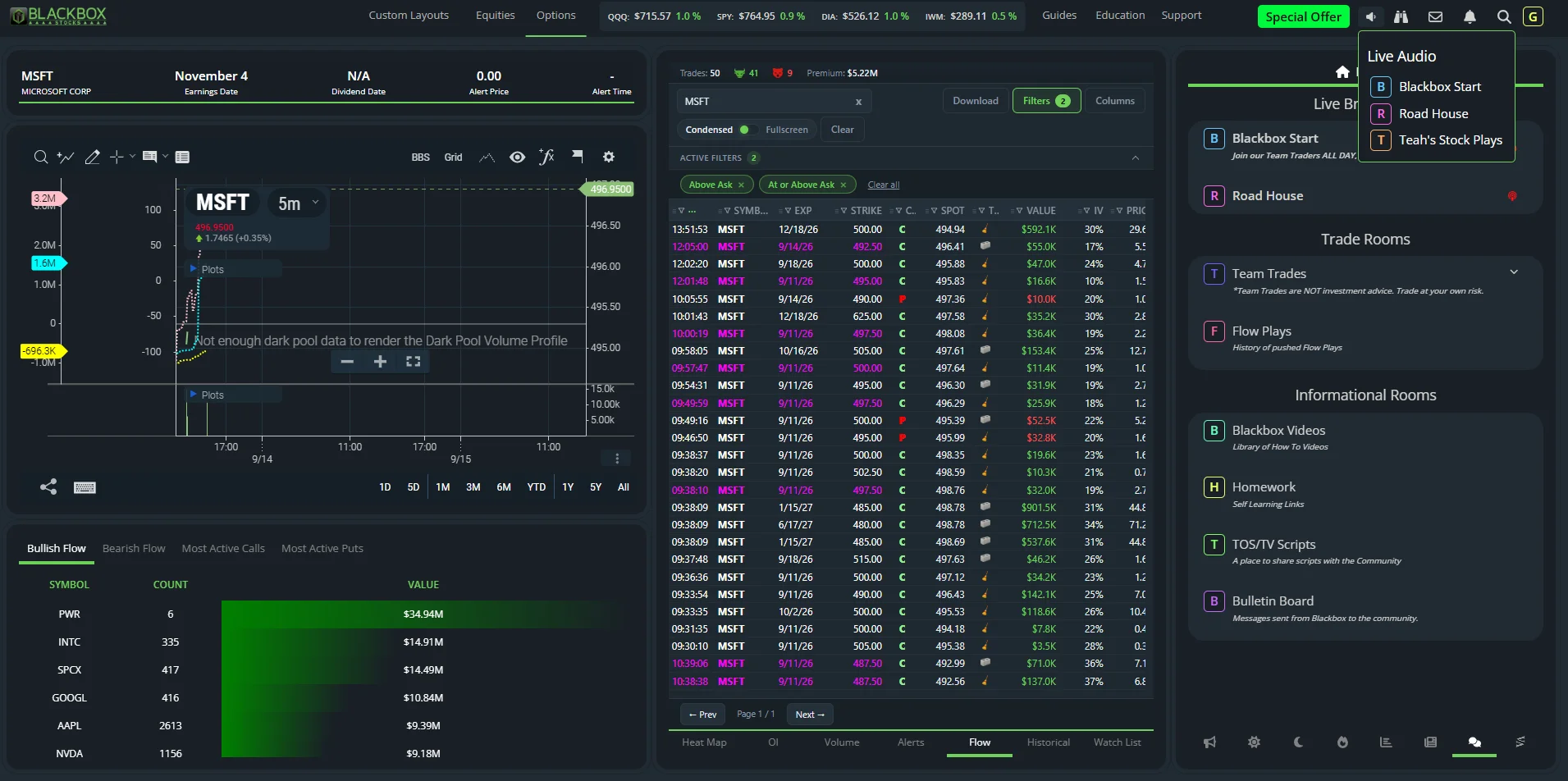
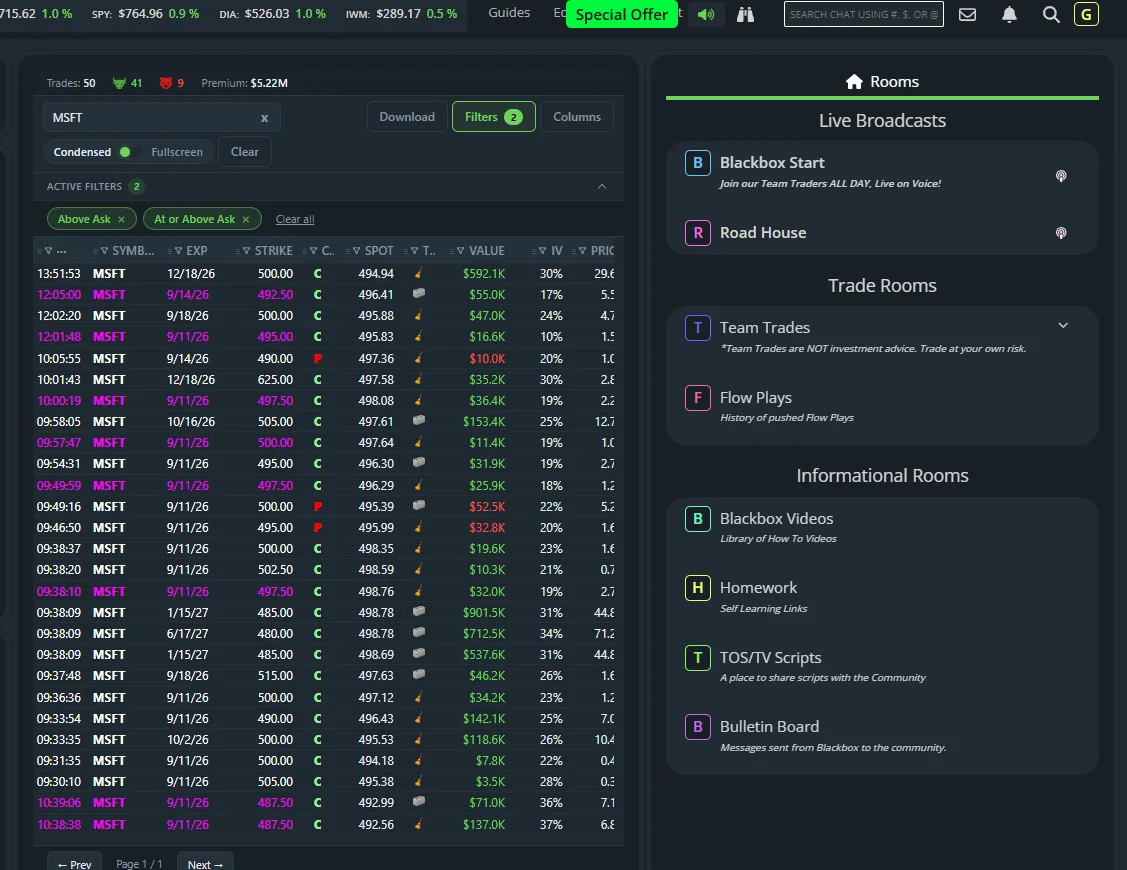
Blackbox markets seven named alerts. What actually makes the flow feed usable is a three-colour open-interest code that the app never explains. A white row is a print that did not exceed the contract's open interest. A yellow row is a single block or sweep that exceeded open interest on its own. A purple row is multiple prints that together exceeded it. Yellow and purple are therefore the platform's signal that a position is probably being opened rather than closed, and they are what the Bullish Flow, Bearish Flow, Most Active Calls and Most Active Puts tables are counting. The A and AA codes in the Side column mean "at or above ask" and "above ask."
None of that is in the in-app Option Log Key. It is in the help center's Options Data Key articles, dated July 28, 2020. Read those five articles before you trade off the feed; they take ten minutes and they are the difference between reading the flow and staring at it.
Historical flow is included, not an upsell
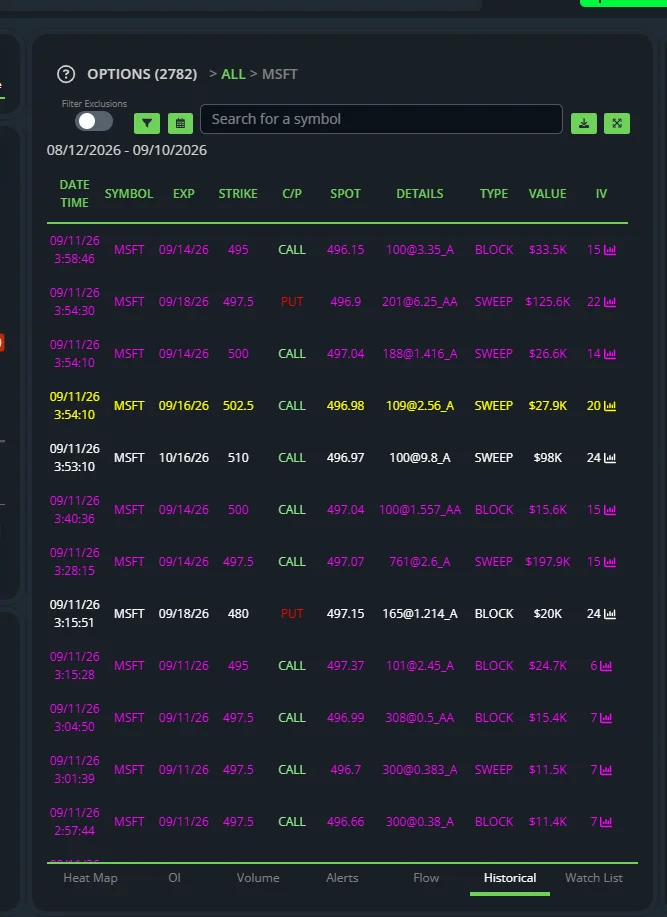
The Historical tab replays the flow for a symbol or the whole market over Today, Last 5 Days, Last 30 Days or a custom range, with the same columns as the live feed and your saved filters applied. Five days of DELL returned 85 prints in a few seconds, from a $6K weekly sweep to a $1.32M January 2027 put block, and you can drill into a single strike. The help center states history runs back to February 7, 2018. FlowAlgo and Cheddar Flow charge more for less history; Unusual Whales gates deeper history behind its higher tiers.
Live classes are the feature nobody mentions
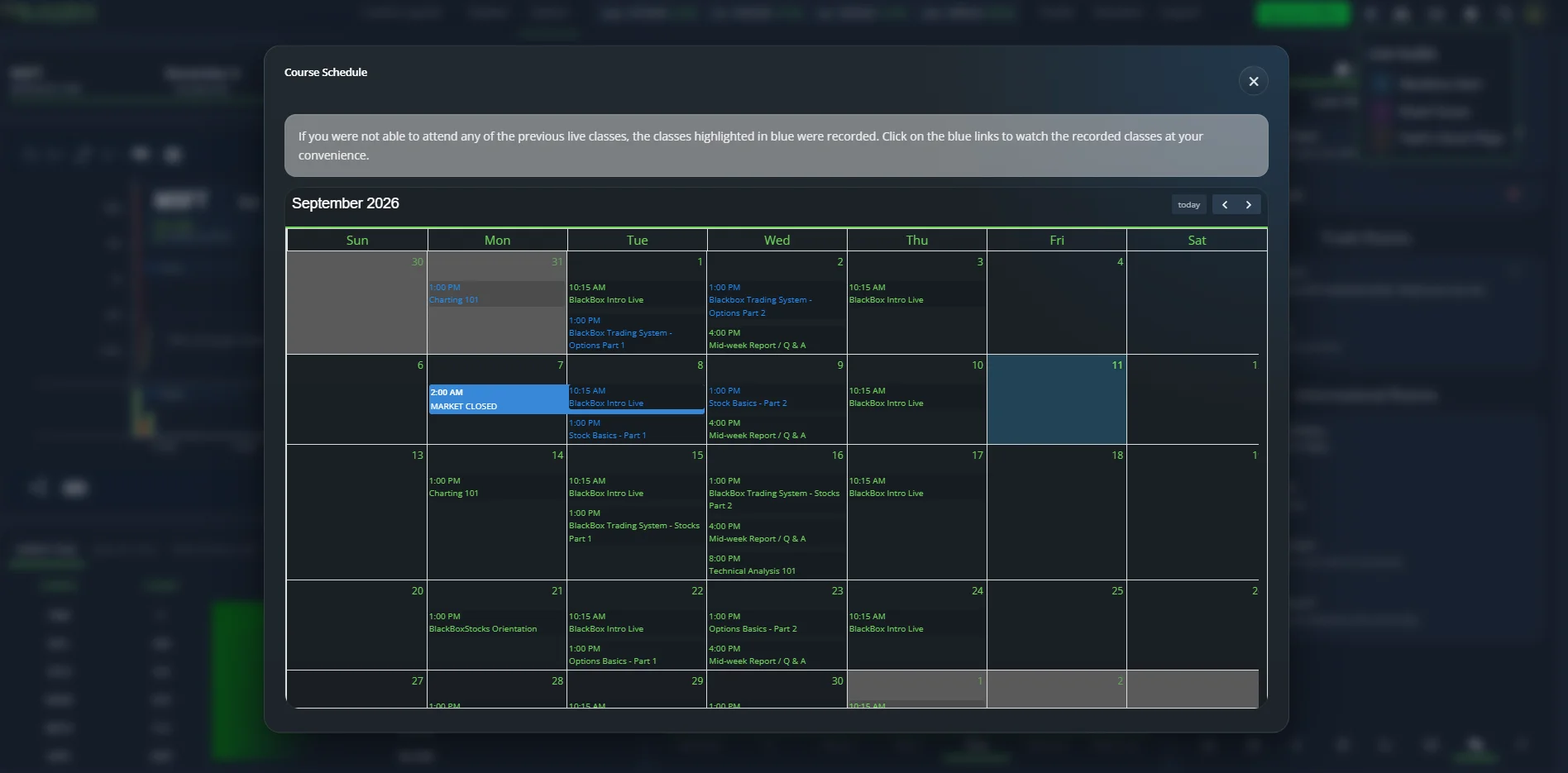
Education > Class Calendar opens a live weekly schedule delivered over GoToWebinar, and in September 2026 it ran to 8–10 sessions a week: BlackBox Intro Live every Tuesday and Thursday morning, Charting 101 and BlackBoxStocks Orientation on alternating Mondays, rotating two-part series on Tuesday and Wednesday (BlackBox Trading System – Options, Options Basics, Stock Basics, BlackBox Trading System – Stocks), a Mid-week Report and Q&A every Wednesday, and occasional evening one-offs such as Technical Analysis 101. Past classes are highlighted and link to recordings.
This is included in the subscription and it is more structured instruction than any competitor at this price offers. The friction is that recordings sit behind a GoToWebinar name-and-email form even for paying members, and class handouts are distributed in the Homework channel on Discord rather than in the app.
Where Blackbox Stocks fits — and where it does not
Blackbox fits an active retail options trader who wants sweeps, blocks, algorithmic alerts, a premarket scanner and a chart with options-derived studies in one browser window, and who will attend or watch the classes. It fits someone willing to spend an hour building three or four filter presets, because the presets are where the value is.
It does not fit a trader who also needs the stock side without paying $149. It does not fit anyone who wants a customisable layout. It does not fit a trader who relies on a chat community and cannot verify it works during the trial; ours did not load in two separate sessions. And it does not fit anyone buying for a roadmap: there have been no product feature announcements since the corporate change of control, and the YouTube channel's last product tutorial is two years old.
Our current assessment
Blackbox Stocks is a good options-flow terminal attached to a company that has stopped talking about its product. The flow feed, filter builder and historical replay are worth $79 on their own; the live classes are a bonus most rivals don't offer. Against that, the documentation is six years old and split across three places, the chat rooms did not work for us twice, and the parent company's revenue has fallen every year since 2021. Take the free month, learn the colour code, build your presets, and decide at day 25.
What Is Blackbox Stocks?
Blackbox Stocks is a browser-based market-scanning platform launched in 2016 by Blackboxstocks Inc. of Dallas, Texas. Its algorithm scans US-listed stocks and options contracts continuously and surfaces prints and patterns it classifies as unusual. The company listed on Nasdaq as BLBX in 2021, reported an average of 2,876 monthly subscribers in Q3 2025 and revenue of $2.43M for 2025 (down from $6.11M in 2021), and completed a reverse merger with rare-earth producer REalloys Inc. on February 24, 2026. The trading platform now sits in a subsidiary, Blackbox.io Inc., still run by founder Gust Kepler; the listed entity is REalloys (ALOY). The consumer product continues to operate and the mobile apps were updated in August 2026.
Blackbox Stocks — Plans at a Glance
| Options Basic | Options Plus | Equities Plus | Premium | |
|---|---|---|---|---|
| Monthly | $59 | $0 first month, then $79 | $89 | $99 first month, then $149 |
| Options flow, alerts, heat map, OI | ✓ | ✓ | — | ✓ |
| Historical options flow | — | ✓ | — | ✓ |
| Dark pool (real-time + historical) | — | ✓ | ✓ | ✓ |
| Net Options Delta / Gamma Exposure | — | ✓ | — | ✓ |
| Live options trading rooms | — | ✓ | — | ✓ |
| Equities scanners, Level 2, volatility indicator | — | — | ✓ | ✓ |
| Custom Layouts | — | — | — | ✓ |
| Mobile app, education, Discord | ✓ | ✓ | ✓ | ✓ |
Annual pricing exists behind a Monthly/Yearly toggle on the pricing page; the only annual figure shown in-app was the $959 Premium first-year offer.
Blackbox Options Flow — The Core Feed
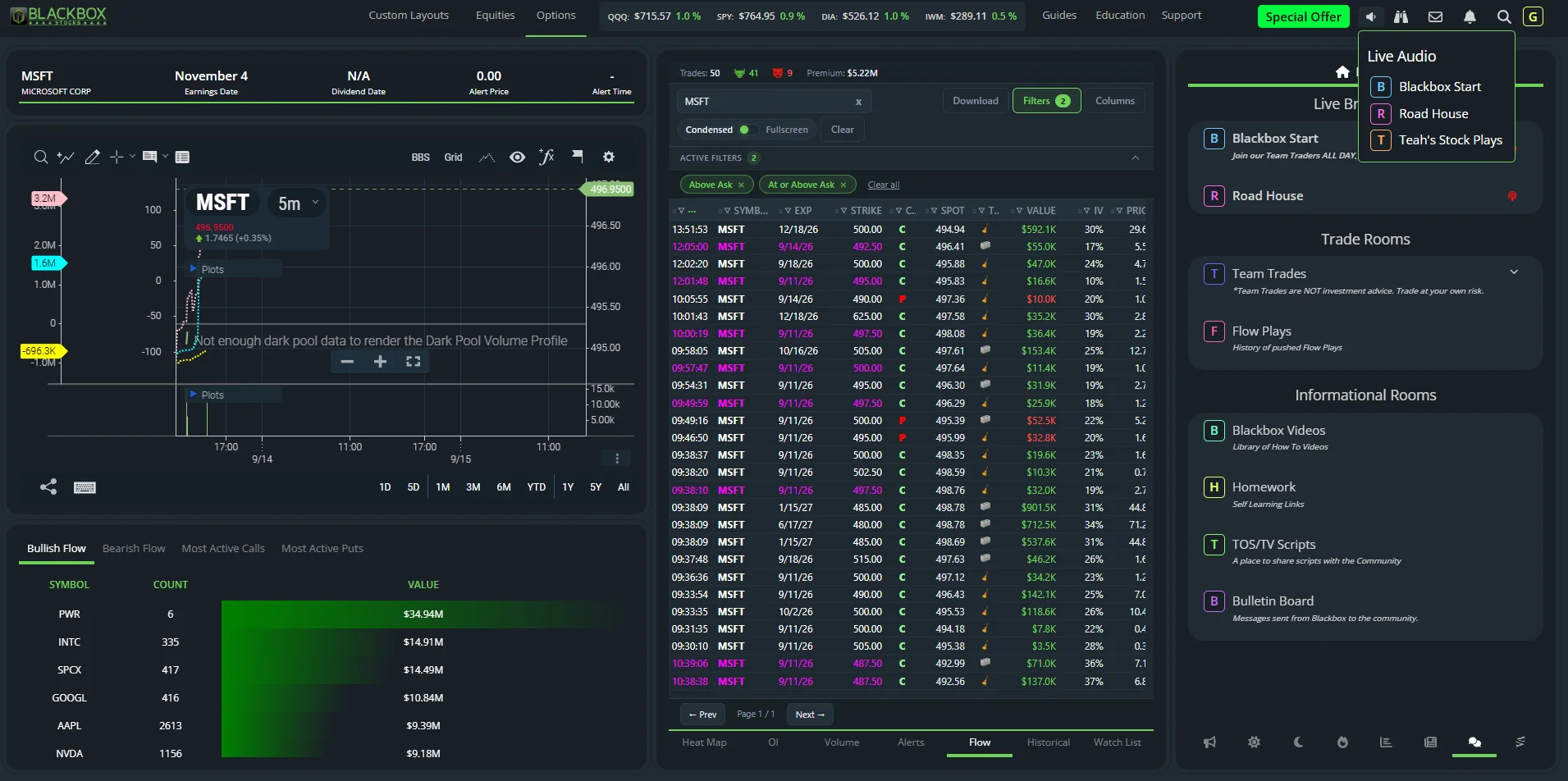
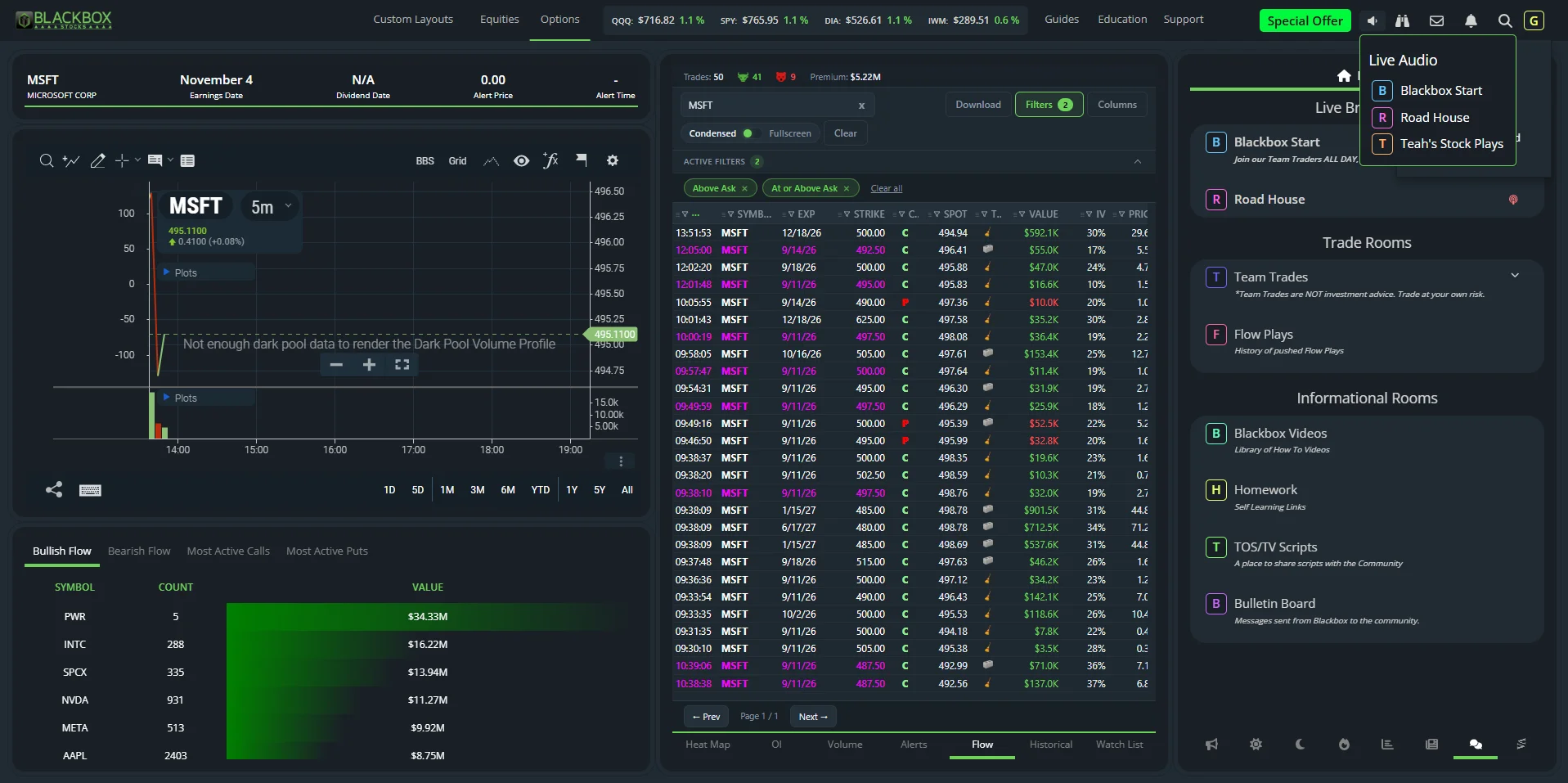
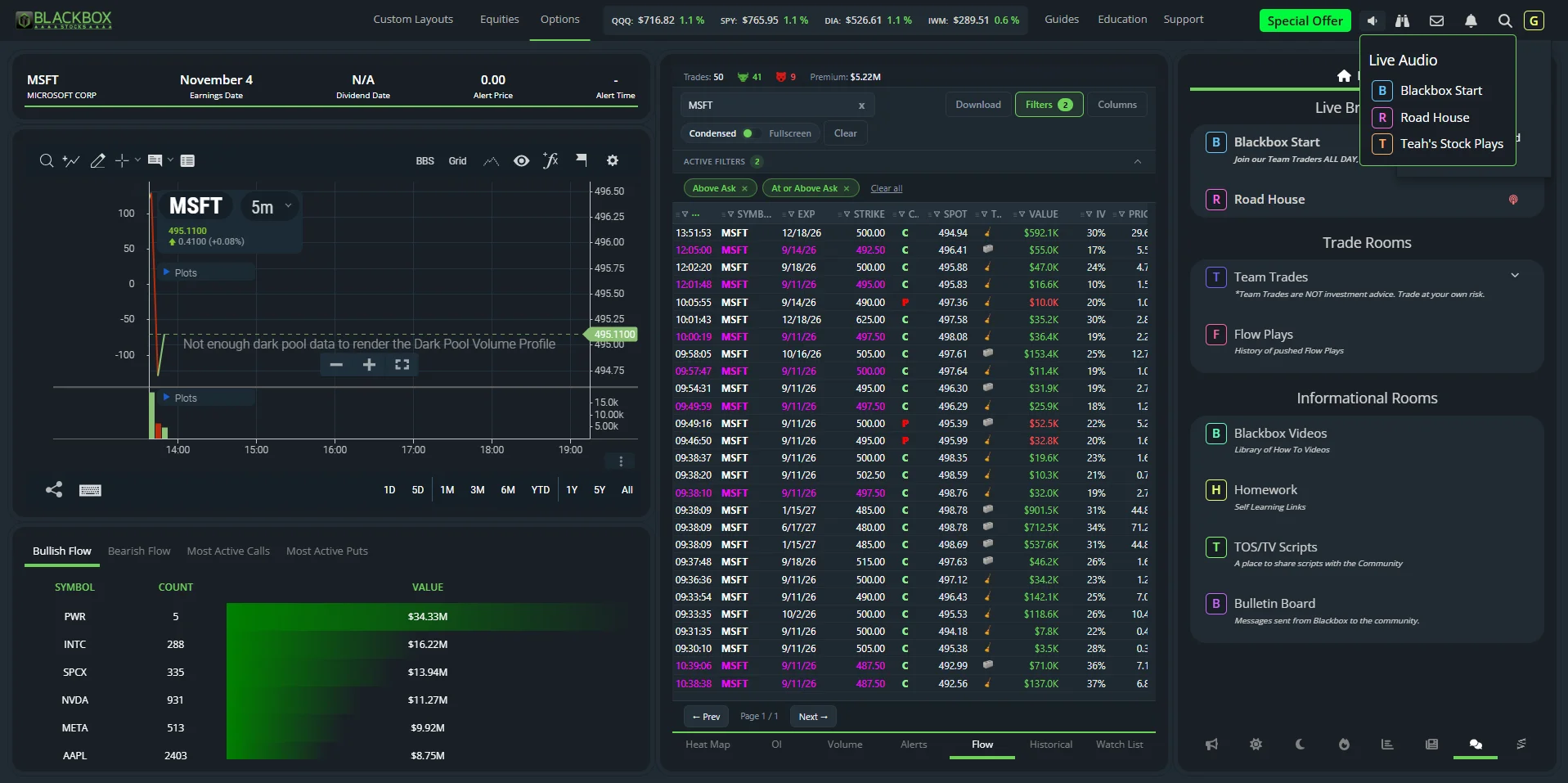
The Flow tab is a live table of options prints that clear Blackbox's minimum size or notional thresholds, each tagged BLOCK or SWEEP. Condensed view shows Time, Symbol, Expiration, Strike, Call/Put, Spot, Type, Value, IV, Price, Side and Volume; fullscreen adds Sentiment, Open Interest, a mini-chart and an Alerts column. After the close on a normal Tuesday the all-symbols feed with the default ask-side filter held 999 prints and $209.5M of premium over five pages, from a $1.1K TSLA weekly to a $6.39M SPXW call sweep; filtered to IWM it was 31 prints and $11.3M. Alert names ("Repeater Bullish Flow", "Rapidfire Bullish Flow", "Repeater Bearish Flow") print inline on the rows that triggered them.
The filter panel is the strongest part of the product. Filters cover calls/puts; flow colour (yellow, white, magenta, red, orange); bid/ask position (All, Above Ask, At or Above Ask, Below Bid, At or Below Bid, Mid); stock vs ETF; contract price $0–$20+; premium $0–$5M+; contract volume 0–10K+; multi-leg hide or only; in or out of the money; 0DTE only or excluded; sweeps only; weeklies only or excluded; earnings-report only; unusual activity; ex-dividend; volume greater than open interest; watch list only or omitted; expiration range; and eleven sectors. Filters save as named presets. The default preset is Above Ask plus At or Above Ask. CSV export is capped at 300 rows.
Blackbox Options Alerts — Seven Types Explained
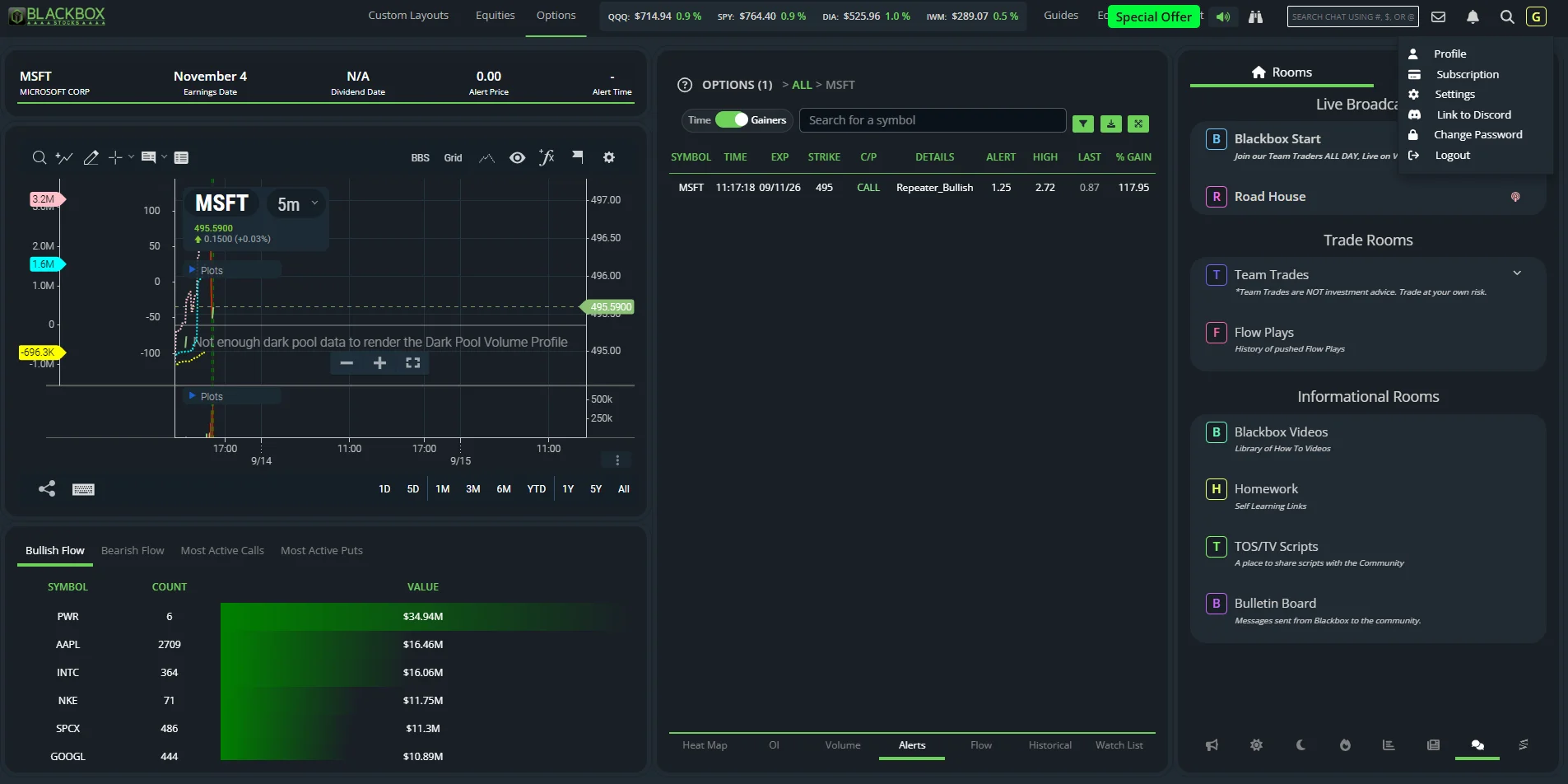
The Alerts tab shows Symbol, Time, Expiration, Strike, C/P, Details, Alert type, High, Last and % Gain, sortable by time or by gainers, with push notifications on desktop and mobile. The in-app key defines:
- Rapid Fire — multiple trades in one contract at the same price and expiration within a 2-minute window
- Repeater (bullish or bearish) — the same pattern over an undisclosed window
- Roulette (bullish or bearish) — opening sweeps exceeding open interest in contracts expiring the current week; Blackbox's own key labels these "HIGHLY SPECULATIVE"
- Steady — repeated opening sweeps with the contract price rising continually over 60 minutes
- Swift — the same over 5 minutes
- Large — a contract exceeding open interest, filled at the ask, above an undisclosed notional threshold
- Red Highlighting — bid-side activity on calls after an alert
The help center adds that alerts are purely algorithmic ("do not consider technical analysis, news, or market conditions") and that stocks reporting earnings within seven days are excluded. The % Gain column measures the contract's high after the alert, which is useful for seeing which alert types suit your style and useless as a track record. Blackbox does not publish alert performance.
Blackbox Scanners, Watch List and Chart Studies
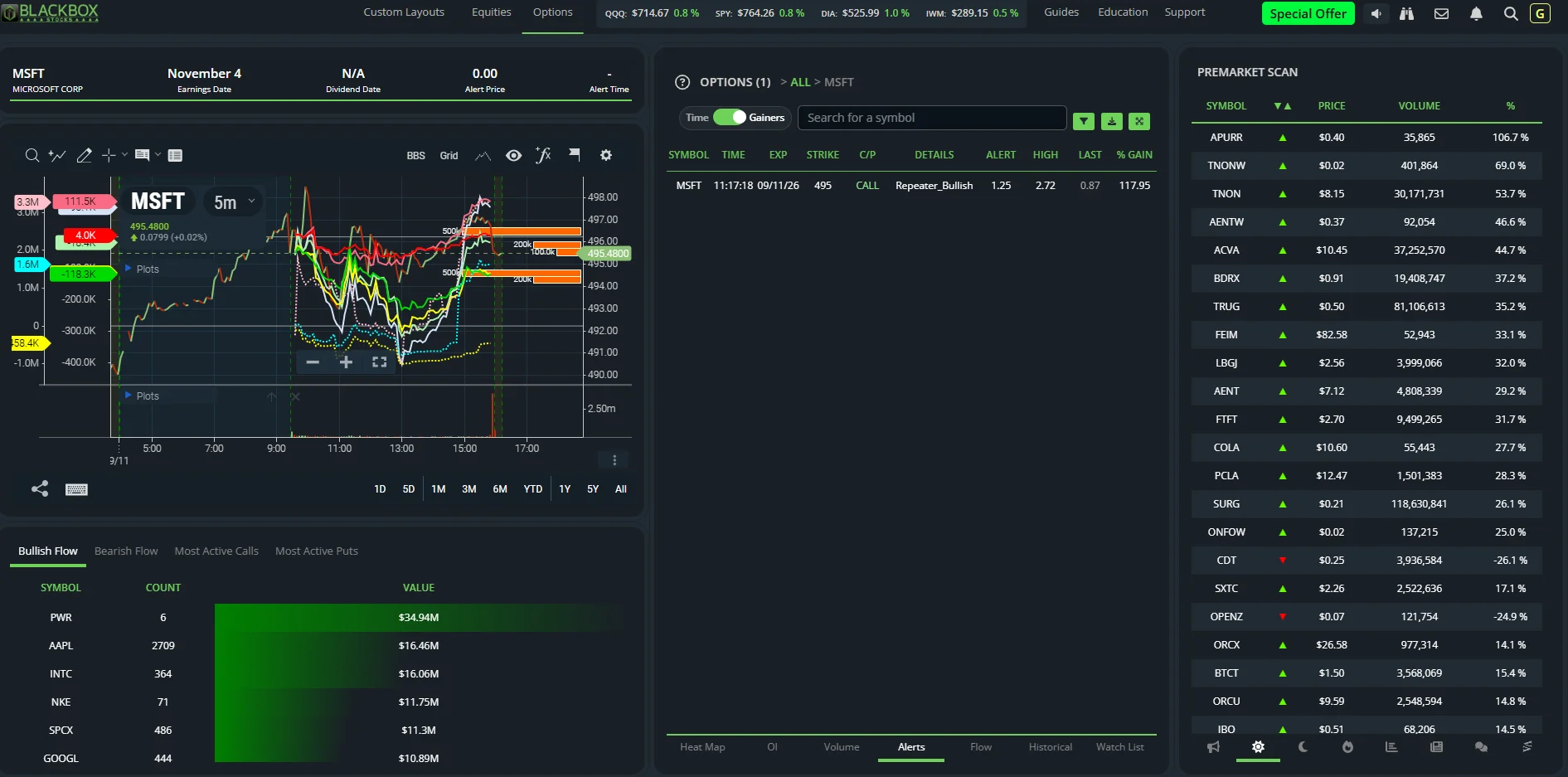
The right-hand tray swaps in eight panels: Alert Stream, Premarket Scan, Postmarket Scan, Market Scan, Volume Ratio, News, Chat and StockTwits. The premarket scanner populates at 7:02 AM ET (the day scanner runs during hours, postmarket from 4:00 PM ET) and was live and populated every morning we looked, listing gainers and losers with premarket volume and % move. Volume Ratio ranks symbols by volume against their 10-day average. News is Benzinga-sourced, tagged and filterable to the current symbol.
The options Watch List tracks individual contracts, not tickers: latest flow print, price, volume, DTE, spot, IV, date added and a notes field.
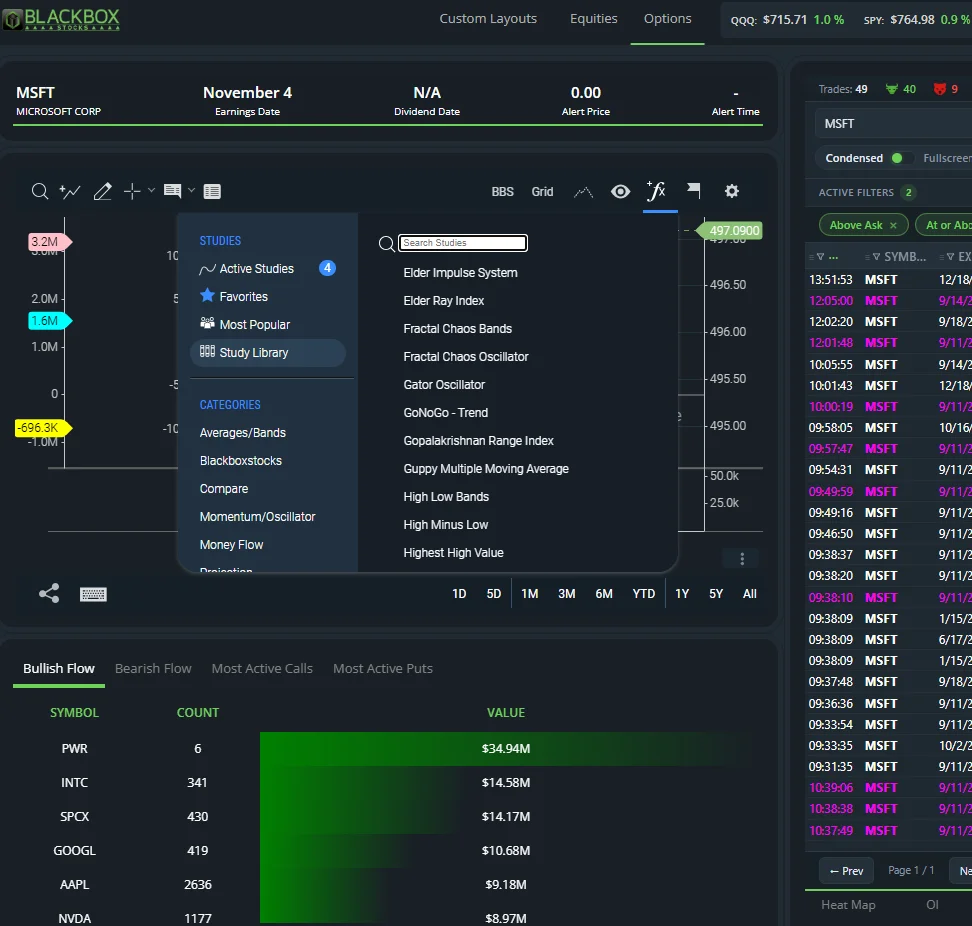
The chart is ChartIQ with a proprietary "[BBS]" study pack: Net Options Delta (call delta minus put delta, three lines), Gamma Exposure (net dealer gamma by strike, with the docs' own caveat that written and multi-leg positions overstate it), Options Dollar Flow (also reachable by typing a ticker with -DF), Dark Pool Volume Profile, FINRA Short Interest Ratio, Insider Buying, ORB 5/15/30 and Ripster Clouds. The Heat Map's C0/C1/C2 and P0/P1/P2 columns mean this week, next week and two-plus weeks out; OI and Volume tabs rank the top 100 contracts by open-interest change and the top 100 symbols by volume against average.
Blackbox Stocks Rules: Sessions, Refunds and Cancellation
- Sessions — one desktop login and one mobile login per account; a desktop login may hold up to three active sessions and the fourth logs out the oldest; a login from a different location logs out all other locations. Two machines in two places will fight each other.
- Refunds — none as policy; "hardship reasons" only, by email to support. Promotional purchases are stated as not refund-eligible in the Terms.
- Cancellation — self-service under Account > Settings; access continues to the end of the paid period; monthly plans bill the whole month in which you cancel.
- Data — options flow starts at 9:30 AM ET; every live options tab is empty before the open, and only the Historical tab shows prior sessions.
- Browser — Chrome recommended; Safari, Edge and Firefox supported. No install.
Blackbox Stocks Dashboard — What You'll See
The Options page is a fixed three-column layout. Left: a ChartIQ chart with the study pack, and beneath it four tabs (Bullish Flow, Bearish Flow, Most Active Calls, Most Active Puts) ranking symbols by count and value of yellow/purple prints. Middle: a seven-tab panel (Heat Map, OI, Volume, Alerts, Flow, Historical, Watch List) with a symbol search, filter button, column picker, condensed/fullscreen toggle and download. Right: the Rooms/Chat panel and the eight-icon scanner tray. A ticker strip along the top shows QQQ, SPY, DIA and IWM. On Options tiers this layout cannot be rearranged.
Blackbox Stocks Education — Class Calendar, Guides and FAQ
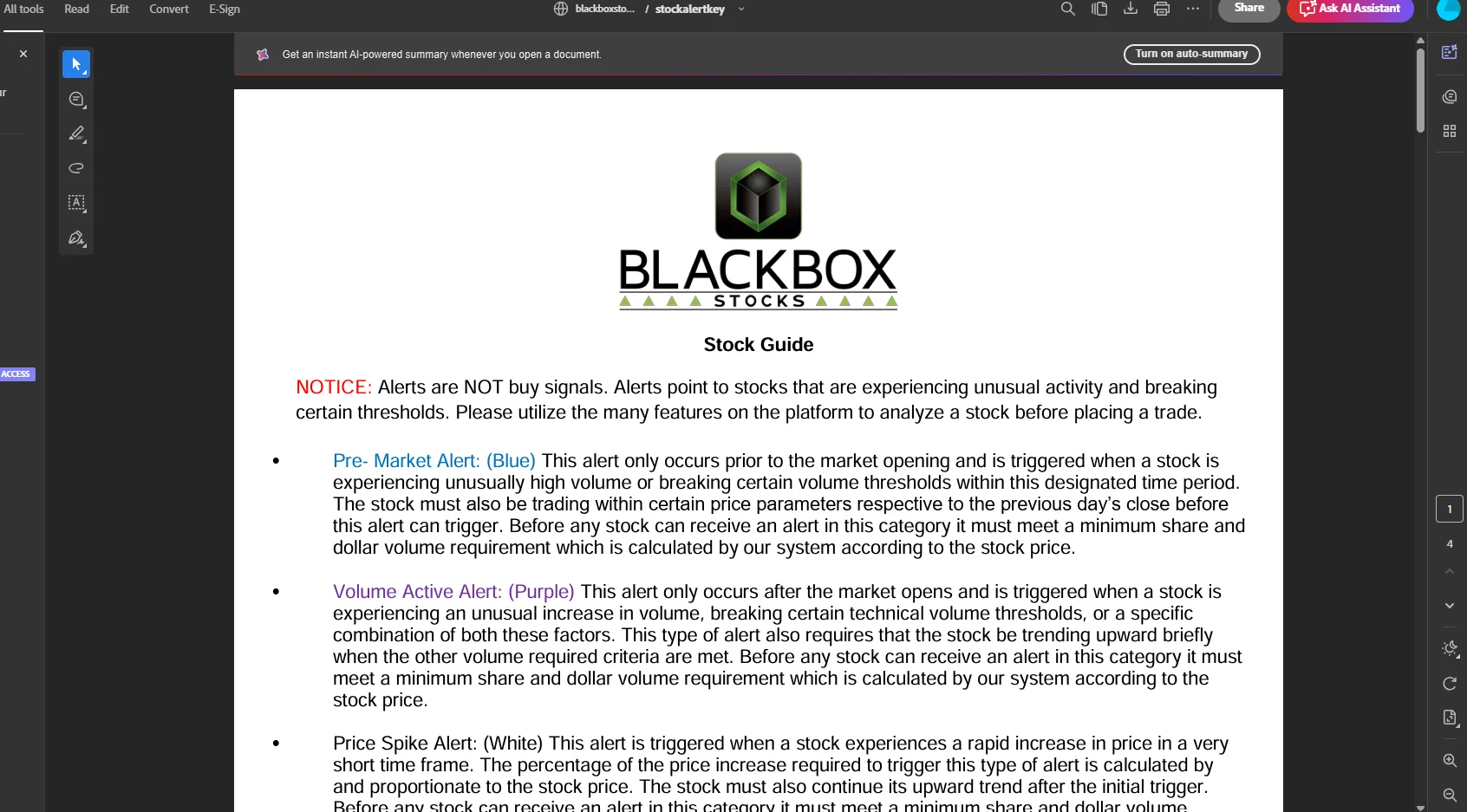
The Education menu has four items. Class Calendar is the live schedule described above. Stock Guide and Options Guide are one-page PDF legends: the Options Guide defines the six alert types and the green/red/yellow/purple/white colour code; the Stock Guide defines eight equities alert colours you cannot use on an Options plan. FAQ opens an Intercom help center with three collections: Stock Data Key (6 articles), Options Data Key (5 articles: Flow Tab, Bullish/Bearish Flow, Top Calls/Top Puts, Historical tab, Option Dollar Flow) and Common Questions (32 articles on refunds, cancellation, pricing, system requirements, scanner start-up, broker integration, discounts and the affiliate program). Almost every article is dated May–August 2020; the pricing article still quotes $99.97/month.
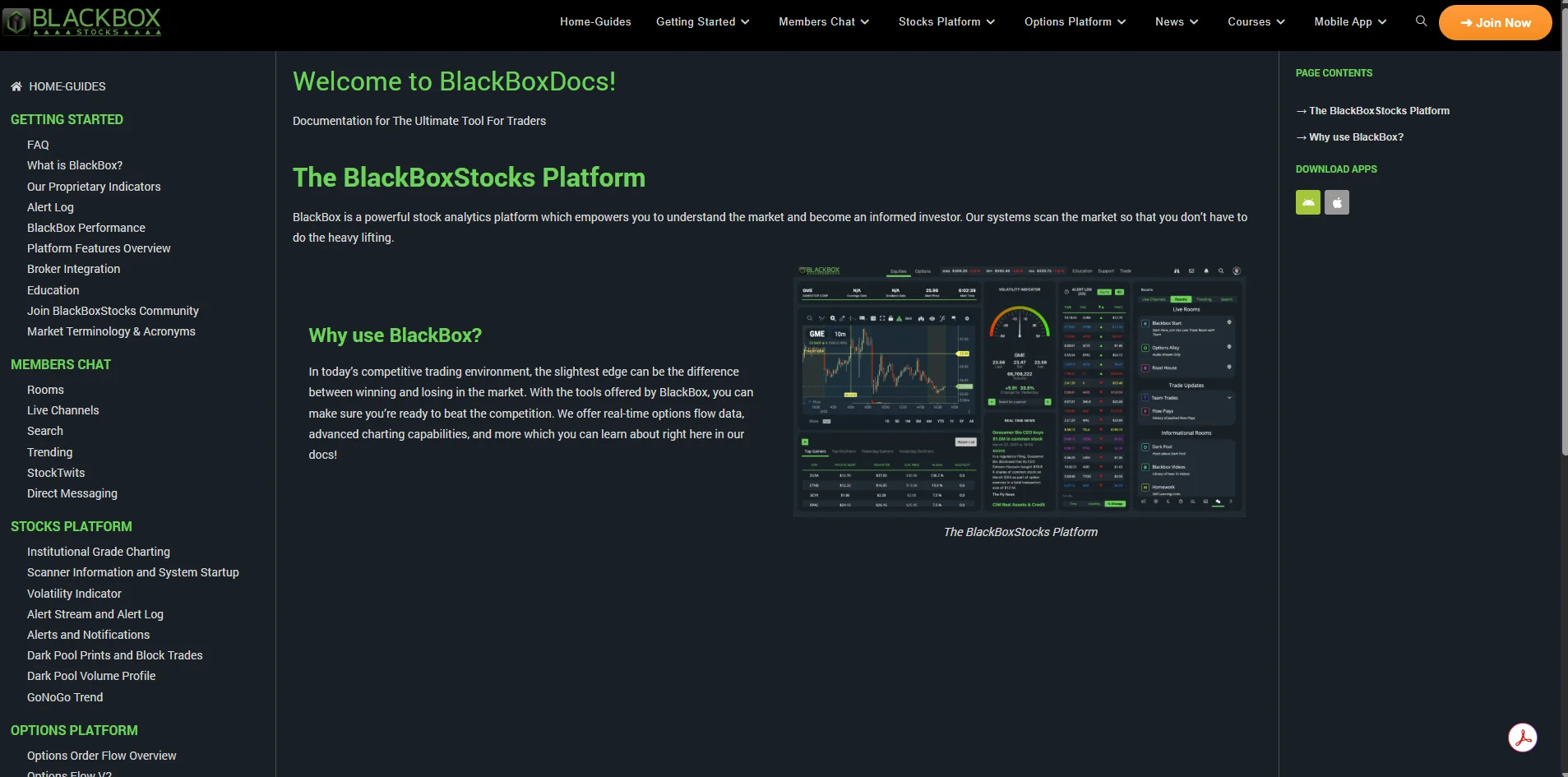
The Guides link opens docs.blackboxstocks.com, a separate and better-written site with a page per tool. Its Courses section is a syllabus that maps to the live calendar (Beginner: Intro to the Market, Charting 101, Stock Basics; Intermediate: Dark Pool Basics, Technical Analysis 101, BlackBox Trading System – Stocks and – Options, Options Basics, Understanding Options Flow), while its Advanced tier is a list of free Options Industry Council courses that are not Blackbox content. The sidebar's "Education" link returns a 404. Support is a Send Message form and a Troubleshooting page.
Blackbox Stocks TV — 12.2K Subscribers, 123 Videos, No Product Tutorial in Two Years
The BlackBoxStocks YouTube channel has 12.2K subscribers and 123 videos. The back catalogue is the best free training on the proprietary studies: "Options Flow Boot Camp – BlackBox 2.0" (1h09), "Net Options Delta Study Explained" (17 min), "Gamma Exposure Study with Lancelot" (13 min), "Option Flow Crash Course II" (18 min), and short explainers on dark pool prints, Options Dollar Flow, GoNoGo and the ORB indicators. As of September 2026 the two newest uploads, six and seven months old, are promotional shorts unrelated to the product; the most recent platform tutorial is about two years old.
Blackbox Stocks Discord and Chat Rooms — Community Access
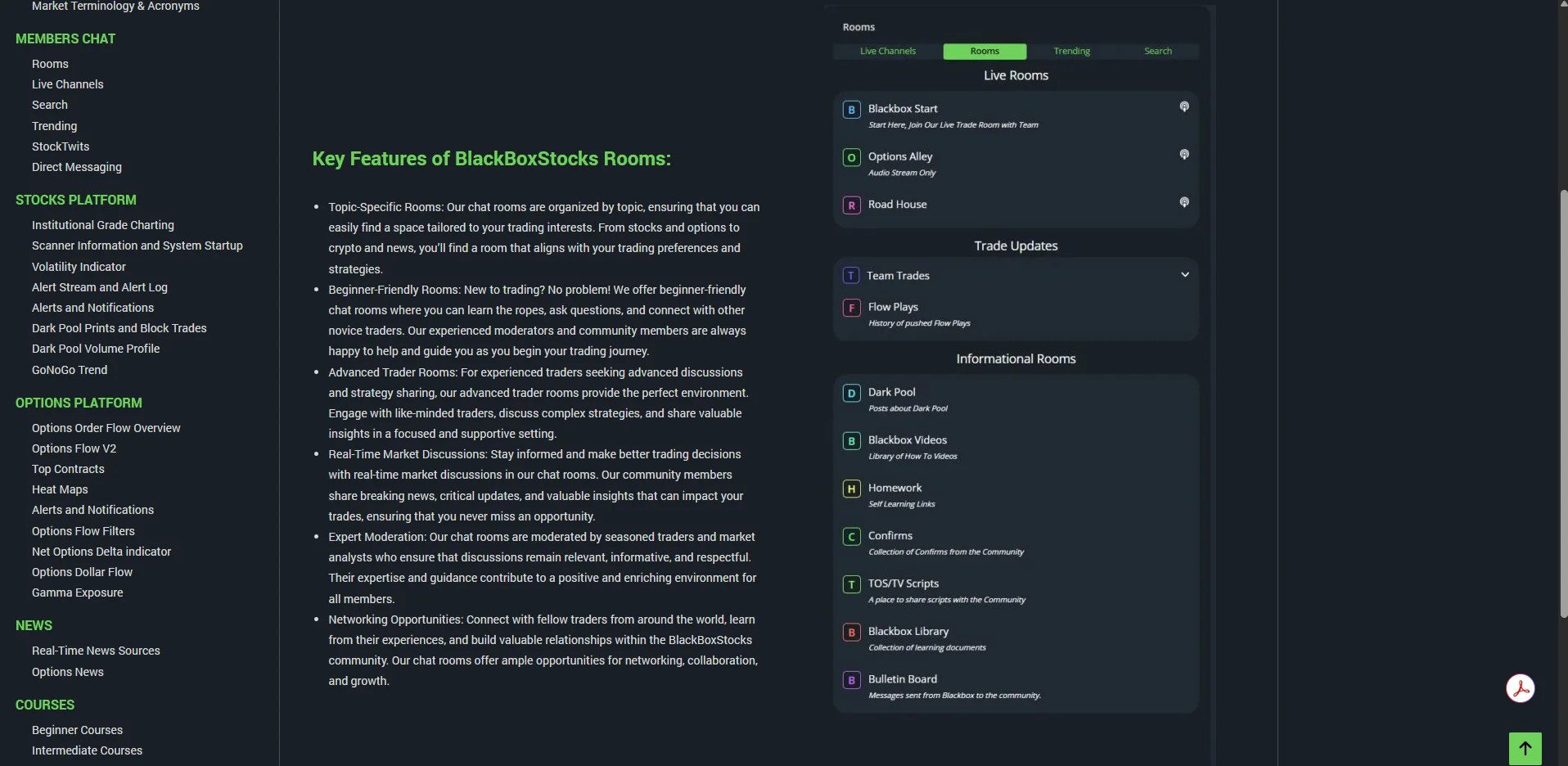
Blackbox sells its community hard: the Rooms panel lists Live Broadcasts (Blackbox Start, "Join our Team Traders ALL DAY, Live on Voice!", and Road House), Trade Rooms (Team Trades with four named moderators and per-moderator desktop/mobile notification toggles, and Flow Plays, a history of pushed trades) and Informational rooms (Blackbox Videos, Homework, TOS/TV Scripts, Bulletin Board). Team Trades carries a disclaimer that trades are not investment advice. The docs describe a separate live voice channel for stock traders run by moderator Teah, and Options Plus includes Discord access, where class handouts are distributed.
Across two sessions a week apart, on a normal connection, every room we opened showed a loading spinner and never rendered, including the read-only Bulletin Board, with no application error in the console. We cannot evaluate what we could not see. Test the rooms in the first week of the free month before you count on them.
Our Reviewer's Hands-On Evaluation — Options Plus, Two Sessions
We tested Options Plus on a paid account on September 2 (pre-market) and September 8, 2026 (after the close), clicking every tab, menu item, scanner panel, Education entry and Guides page, and reading the help-center articles and both PDF guides. What worked: the live flow feed, filters, historical replay, alerts tab, premarket and volume-ratio scanners, watch list, chart studies, news and StockTwits panels, class calendar (second visit), and the subscription and settings modals. What did not: every chat room, twice; the class calendar on the first visit; the docs site's Education link. What we did not do: attend a live class or register for a recording.
Blackbox Stocks Login — Where to Sign In
The platform is at members.blackboxstocks.com; the public site is blackboxstocks.com. Mobile apps are "BlackBoxStocks Mobile" on the App Store (4.3 stars, 87 ratings) and Google Play (4.1 stars, 108 ratings, 10K+ downloads).